

Printable Vinyl Sticker Paper in A4 and A3
Turn your designs into real, sellable stickers at home. Six professional finishes in A4 and A3, tested to feed and cut cleanly on every major cutting machine.
✨ Learn about our Printable Vinyl Sticker Paper

What is printable vinyl sticker paper?
Self-adhesive material used to print custom stickers with an inkjet or laser printer. Ideal for labels, planner stickers, branding, packaging, markets and small business orders.

Do I need to laminate printable vinyl?
Lamination adds scratch resistance, extra water resistance and a more premium finish. Pair your vinyl with self-adhesive or thermal laminates for a tougher final product.
Which finish is right for you?
Tap a finish to see what it's best for.
GLOSSY
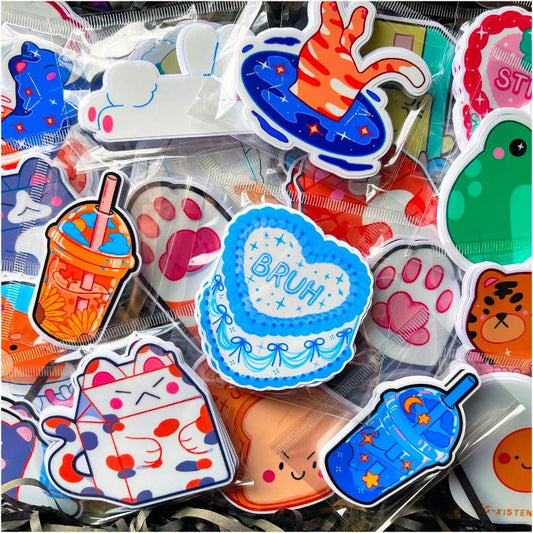
The Stickiply standard. Holds fine detail, produces vibrant colour with high contrast, and finishes with a sharp gloss. The go-to choice for die cuts, sticker sheets for markets, and product packaging.
GET GLOSSYMATTE
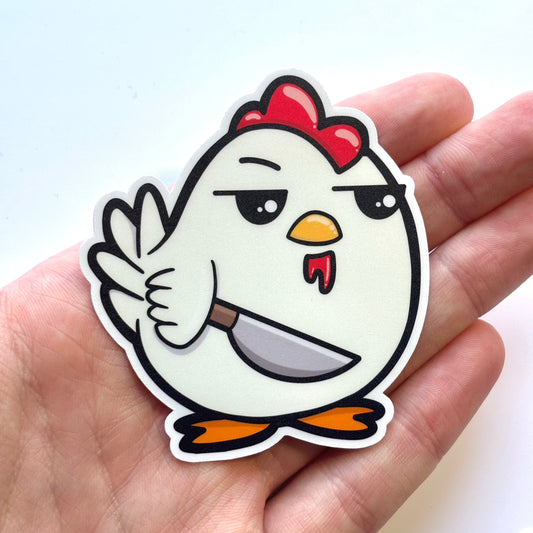
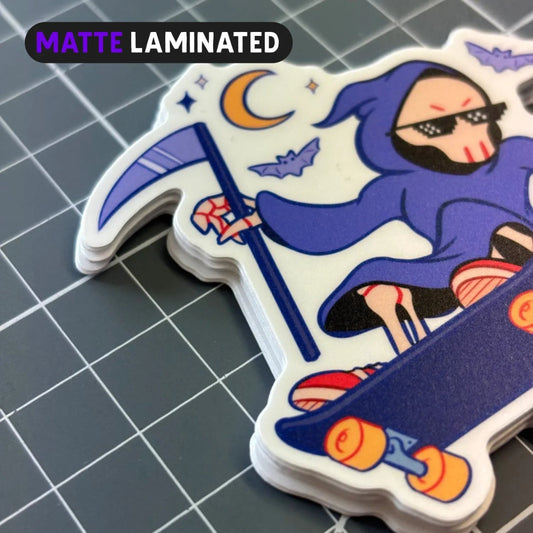
A bolder print with a soft-touch finish. Absorbs ink into the surface for richer primary colours and stronger contrast. No glare, no reflection. Best for planner stickers, labels and minimalist designs where fine detail isn't the priority.
GET MATTEHOLOGRAPHIC
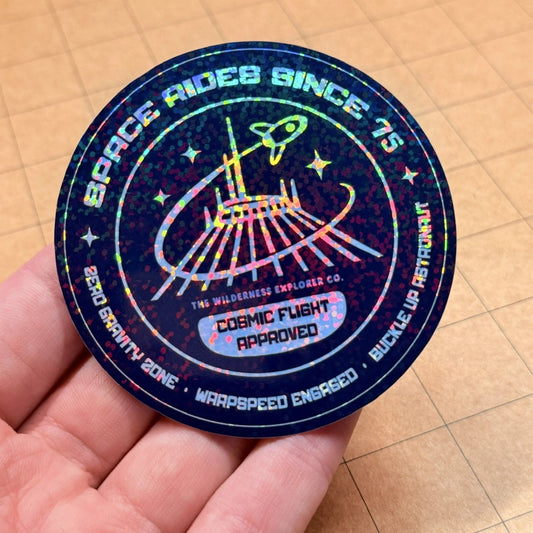
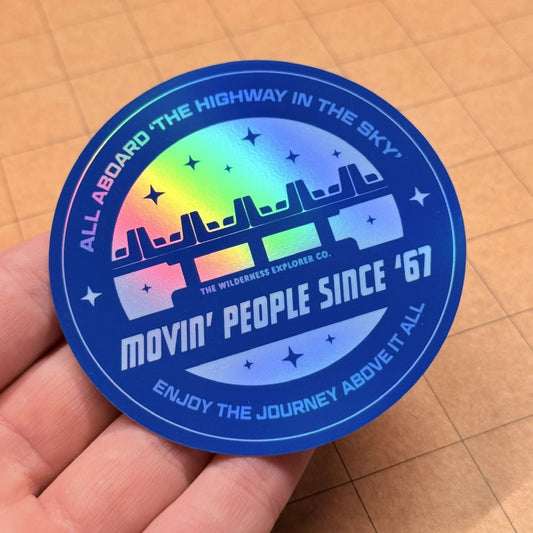
Highly rainbow-reflective with a stronger PET base than our standard vinyl. Shifts through every colour as it catches the light. A premium material for small businesses and artists who want their stickers to stop the scroll.
GET HOLOGRAPHICMETALLIC
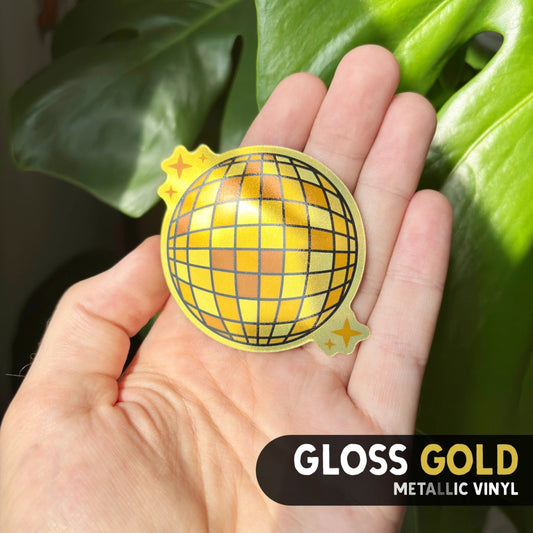
Available in silver and gold variants. A metallic sheen across the sheet creates foil-effect prints straight from your inkjet, no foiling equipment needed. Ideal for wedding stationery, luxury branding and premium product labels.
GET METALLICCLEAR
Slightly blue-tinted transparent vinyl that prints vibrant, beautiful colour. Water-resistant, which is rare for clear vinyl. Best for window decals, transparent packaging labels and overlay designs where the background should show through.
GET CLEARGLOW IN THE DARK
Green-tinted vinyl with a super-strong base. Absorbs light during the day and glows in the dark once the lights go out. Built for novelty products, seasonal ranges and anything designed to surprise.
GET GLOW-
Printable Vinyl Sticker Paper | Glossy (A4)
Vendor:STICKIPLYRegular price From £5.15Regular price£6.50Sale price From £5.15Sale -
Printable Vinyl Sticker Paper | Matte (A4)
Vendor:STICKIPLYRegular price From £5.20Regular price£6.50Sale price From £5.20Sale -
Printable Vinyl Sticker Paper | Holographic (A4)
Vendor:STICKIPLYRegular price From £6.75Regular price£7.50Sale price From £6.75Sale -
Printable Vinyl Sticker Paper | Metallic (A4)
Vendor:STICKIPLYRegular price From £7.50Regular price£7.50Sale price From £7.50 -
Printable Vinyl Sticker Paper | Clear (A4)
Vendor:STICKIPLYRegular price From £6.75Regular price£7.50Sale price From £6.75Sale -
Printable Vinyl Sticker Paper | Glow in the Dark (A4)
Vendor:STICKIPLYRegular price From £1.50Regular price£1.50Sale price From £1.50 -
Printable Vinyl Sticker Paper | Matte (Clear Backing)
Vendor:STICKIPLYRegular price From £6.75Regular price£7.50Sale price From £6.75Sale -
Printable Vinyl Sticker Paper | Glossy (A3)
Vendor:STICKIPLYRegular price From £13.50Regular price£13.50Sale price From £13.50 -
Printable Vinyl Sticker Paper | Matte (A3)
Vendor:STICKIPLYRegular price From £13.50Regular price£13.50Sale price From £13.50 -
Printable Vinyl Sticker Paper | Holographic (A3)
Vendor:STICKIPLYRegular price From £10.95Regular price£13.50Sale price From £10.95Sale










Frequently Asked Questions
Real answers from our print floor. Not just what Google says.
🤔 Is printable vinyl the same as sticker paper?
No, and this confuses a lot of new makers. Sticker paper is paper with adhesive on the back: cheap, tears easily, dies in water. Printable vinyl is a plastic film (ours is PP / polypropylene) that's water-resistant, flexible and designed to last.
We sell it under the "sticker paper" name because that's what 90% of people search for on Google. But every sheet in this collection is true printable vinyl. No paper.
🖨️ What printer settings should I use?
This is the number one thing people get wrong. The wrong paper type setting will destroy a sheet in seconds. Here's what we use in-house:
For glossy and gloss-based finishes: Epson "Photo Quality Inkjet" or "Premium Glossy."
For matte and matte-backed finishes: "Premium Matte" or "Plain Paper."
Pro tip: Before you waste a full sheet, use our 9-segment test. Split your design into 9 thumbnails, print one, change the setting, load the same sheet back in and print the next segment. One sheet tells you which setting wins on your exact printer. No guesswork, no waste.
💧 Is it waterproof?
Water-resistant, not waterproof. Once printed and dried, our vinyl handles splashes, condensation and hand washing. It's not dishwasher or microwave safe, even with lamination.
For maximum water resistance (water bottles, drinkware, outdoor product labels), apply a layer of self-adhesive or thermal laminate and hand wash only.
✂️ How do I cut it with Cricut, Silhouette or Siser?
Our backing paper is thicker than most competitors', so you'll usually need more pressure or multiple passes than stock presets suggest. One pass for the vinyl, one for the backing.
Siser Juliet: 30-43 force with 2 or 3 passes gives a clean, smooth cut.
Cricut: start with "Premium Vinyl Permanent Glossy" for glossy and matte. Holographic and metallic need a touch more blade pressure.
Registration marks: Cricut can struggle reading reg marks through holographic, metallic and some glossy surfaces. If your machine's not picking them up, matte covers the reg marks only, or swap to a different finish for Print Then Cut jobs.
Always test cut one shape before running the full sheet.
🩹 How strong is the adhesive?
Permanent. It bonds to the surface almost immediately but takes up to 24 hours to fully cure. Don't peel, reposition or wash within that window or you'll weaken the bond at the edges.
Warning: applied directly to painted walls or wood finishes, it will pull paint or varnish when removed. Position carefully before you press down. If residue's left behind, Goo Gone or a similar adhesive remover will handle it.
🔄 Can I reposition or reuse stickers?
No. Our adhesive is permanent by design. Peel and stick with intention.
The upside: your stickers stay put on water bottles, packaging, laptops and product labels without the edges lifting after a few weeks. If you need repositionable, you need a different product.
⏱️ How long before I can laminate or handle prints?
The ink is dry almost instantly to the touch. You can cut and laminate within minutes.
But don't expose the print to water for at least 24 hours. The ink needs time to fully bond with the vinyl coating. Wash a sticker on day one and the colour will run. Wait a day and it won't.
🎯 Does it work with laser printers?
Most of our finishes work with laser, but inkjet is what we recommend and test on.
Laser toner can struggle to fully bond with certain vinyl coatings and may flake under flex or heavy handling. Glossy and matte are the safest bets for laser. Holographic and metallic are inkjet-only.
🎨 Do I need pigment ink?
No. Standard dye-based inkjet inks work great for indoor stickers, planner products and short-run labels.
Pigment ink is a significant upgrade if you're selling stickers for outdoor use or products that live in sunlight. Pigment resists UV fade far better than dye. If you run a sticker business and want your customers' stickers to look fresh in a year's time, pigment ink plus lamination is the professional setup.
🎭 What's the difference between glossy and matte?
Glossy: shiny topcoat, holds fine detail, makes colour pop with high contrast. Best for product stickers, market sticker sheets and anything where visual punch matters.
Matte: absorbs ink into the surface for richer primary colours and a soft no-glare finish. Less fine detail, stronger solid colours. Best for planner stickers, professional labels and minimalist designs.
⚠️ What's the most common mistake new makers make?
Wrong printer paper setting. Nine times out of ten, when someone sends us a photo of a ruined sheet, it's because they printed glossy vinyl on "Plain Paper" mode or matte on "Photo Glossy."
Run the 9-segment test the first time you use a new finish on your printer. Split one sheet into 9 thumbnails, try a different paper setting each time, and you'll know within minutes which setting gives you the best result. One wasted sheet beats ten.
📦 How long does the vinyl keep in storage?
Up to 2 years in its original packaging, kept cool and dry.
Every Stickiply pack ships with a piece of greyboard inside to keep sheets perfectly flat. Slide your sheets back in between print runs. Flat sheets feed cleanly. Bent or curled sheets jam printers.
🏷️ How long do the finished stickers last?
Indoor unlaminated stickers typically hold colour for 2 to 3 years. Laminated indoor stickers last significantly longer.
Outdoor is harder to predict. Direct sunlight, ink type (pigment beats dye) and whether the sticker is laminated all matter. UV-resistant lamination is the single biggest factor in outdoor longevity.
🏪 Can I use these to make stickers to sell?
Yes, absolutely. Our vinyl is sold for commercial use with no licensing restrictions on our end. Most of our customers are small businesses, Etsy sellers, market stallholders and artists printing to sell.
Your responsibility is making sure the designs you print are your own work or properly licensed. Don't print someone else's art or copyrighted characters for resale, for obvious reasons.